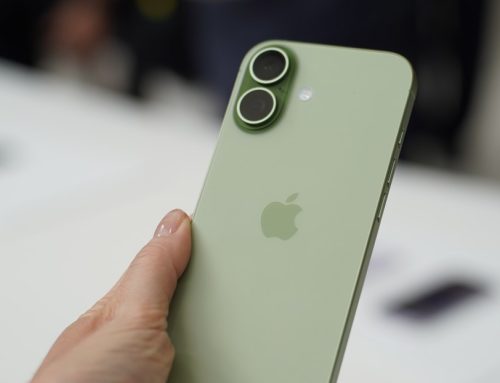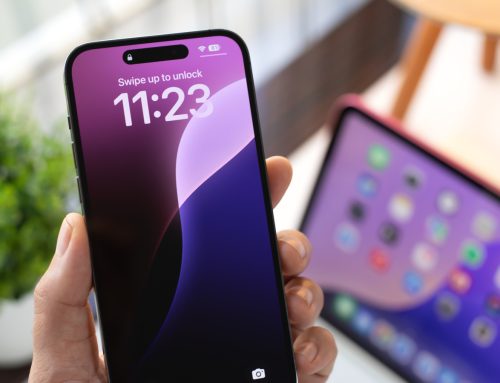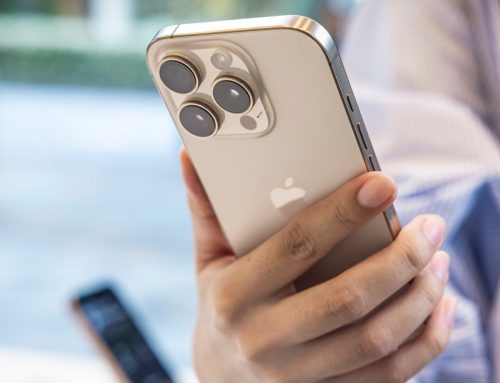
The right accessories can make your iPhone feel more capable and more personal. Whether you want to protect your phone, improve your photos or stay powered during a long day out, there are plenty of accessories that can make a real difference. MagSafe gear has opened the door for new chargers, stands and mounts, while portable batteries and compact lenses can upgrade your everyday routine.
We tested a range of products to find the best iPhone accessories that offer practical benefits for both new and older models.
Best iPhone accessories
Apple’s AirTags make it easy for iPhone users to locate things they might misplace. There are even AirTag cases and keyrings you can buy for added convenience that act as a holder for the device. Just attach one of the tiny Bluetooth trackers to your keys, backpack or wallet and then use the Find My app to keep track of them. If you know your stuff is within reach, you can force the AirTag to play a tune to lead you to it. And when you truly don’t know where something is, you can enable Lost Mode to be automatically notified when the Find My network locates the item. AirTags only have compatibility with iPhones, but iPhone users have other Bluetooth tracker options. But Apple’s gadgets have a convenience level that’s similar to AirPods — your iPhone will automatically identify a new Apple AirTag nearby and immediately pair with it, and, base on our testing experience, it’s quite simple to manage multiple AirTags in the Find My app.
Pros
- Easy to slip into bags and wallets
- Uses the Find My network to keep track of belongings
Cons
- No built-in keyring hole
PopSockets have been a great solution for the problem of slippery iPhones for a long time, but the new MagSafe PopGrips make them an even more versatile option. Instead of adhering to the back of your handset or phone’s case, they magnetically (and pretty securely) attach using MagSafe. That means you can use it when you need it — to prop up your iPhone to watch a video or take a selfie — and then swiftly remove it when you don’t need it or want to power up using a wireless charger. Each of these PopGrips comes with a MagSafe-compatible ring as well, which means you can turn non-iPhone gadgets like an Android phone, an ereader and others into MagSafe-compatible ones, too. And if you prefer a different style grip or a wallet accessory, PopSocket has a number of items to choose from in its MagSafe range.
Pros
- Strong magnetic hold on iPhones
- Comes with a MagSafe ring so you can use it with other devices
Cons
- No adhesive, so magnets are the only way to attach it to a device
There are often better and cheaper alternatives to Apple’s first-party accessories, but the company’s MagSafe wireless charger is worth considering if you have a new iPhone. Like all other MagSafe accessories, this charging pad uses magnets to attach to the back of the latest iPhones and it’s surprisingly strong. Not only can you safely pick up your handset and use it with the disk still attached, but the iPhone can dangle by the charger’s cord without falling off. (You still probably shouldn’t do this.)
The charging plate itself is about a quarter-inch thick so it barely adds any heft to the iPhone. The magnets only attach to the latest iPhones, but it will still charge older models wirelessly, going back to the iPhone 8. You have the option of one-meter and two-meter cable lengths, and this latest model is Qi2-certified, supporting wireless charging up to 25W when paired with a 30W adapter and a compatible iPhone.
Pros
- Strong magnetic hold for iPhones
- Relatively affordable
Cons
- Cable is a little short
A screen protector is arguably the most important accessory for your iPhone that you could get, and that goes for even those who avoid cases like the plague. The last thing you want is to accidentally drop your very expensive new piece of tech and come out of it with a shattered screen.
Zagg makes screen protectors for a number of different iPhone models and they’re quite easy to precisely stick onto your handset’s screen. Made with tempered glass, these thin sheets protect your iPhone display from scratches, bumps and drops, and they are fingerprint- and oil-proof as well. You can also get Zagg screen protectors with extra benefits: anti-glare coatings make it easier to see your screen in bright lighting, vision guard provides extra blue-light filtration and privacy filters prevent those around you from seeing what’s on your screen.
Pros
- Made of strong tempered glass
- Available in versions with extra perks like anti-glare and privacy protection
Cons
- Only one screen protector in each pack
Read our full Apple AirPods Pro 3 review
Apple’s latest AirPods Pro offer the company’s most robust set of features ever. Live Translation and hear-rate sensing get top billing, but improvements to ANC and sound quality are significant as well. Plus, Apple’s existing hearing health and other advanced earbuds features are available here as well. And the company managed to do all of this without raising the price. — Billy Steele, Senior Reporter
Pros
- Impressive ANC updates
- Improved sound quality
- Live Translation finally arrives
- Extended battery life on a single charge
Cons
- New fit takes some getting used to
- Total battery life is actually less than before
- Live Translation languages are limited at launch
For the times when you’re quickly running out and only need your phone, wallet and keys, you can combine the first two of those things by using a MagSafe wallet. Smartish’s Side Hustle is a good option among many, thanks to its extra-strong magnets, space for up to three cards plus some cash and the thumb slot that makes it easy to access your stuff when you need it. The exterior is made of vegan leather so it looks pretty luxe as well.
Pros
- Strong magnets
- Has space for three cards and cash
Cons
- No adhesive, so magnets are the only way to attach it to a device
While Apple’s 20W charger works just fine, you can opt for a more versatile adapter in Anker’s 30W Nano 3 charger. This USB-C power adapter is 70 percent smaller than Apple’s, and it uses GaN technology to prevent overheating while fast charging. We also appreciate that its connector prongs flip down to make the adapter even more compact when you need to travel with it.
Pros
- Compact design
- Fast chargers iPhones
Read our full Apple Watch Series 11 review
Apple didn’t add too many new features to the Watch Series 11 that would drastically change your daily experience with it, but it did make one crucial improvement: battery life. The Series 11 lasts longer than its predecessor, meaning you can not only get about one and a half days depending on your use, but also squeeze out more juice in low power mode or for your outdoor runs with GPS enabled.
The Series 11 has basically the same thin and light design as the Series 10, which is comfortable enough to wear out on the streets and between the sheets. Its Sleep Score makes it easier to understand how to improve your rest, while background tools like high blood pressure alerts or blood oxygen measurements help keep tabs on your wellbeing and alert you to anomalies.
Ultimately, for those using an iPhone, there is no better smartwatch. And even without Apple’s walled garden giving it an edge, the Series 11 is still one of the best smartwatches around thanks to its overall package of communications, health and wellness tools. — Cherlynn Low, Managing Editor
Pros
- Longer battery life than last model
- Thin and light design
- Comprehensive health monitoring
- Nifty new wrist flick gesture
- The best smartwatch for iPhone users
Cons
- Relatively pricey
- The Watch SE 3 is better for most people
We’ve been fans of Anker’s charging cables for a long time and its Bio-Braided USB-C to C cable is no exception. This model supports a max output of 240W so you can use it with your new iPhone or a MacBook, an iPad and most other mobile devices that don’t work with a Lightning cable. It’s also 10 feet long, giving you much more flexibility to use it even if you have to park yourself further away from your power source. Plus, it’s made from a plant-based nylon that shouldn’t crack under pressure — Anker boasts a 10,000-bend lifespan on this cable, so you can use it and abuse it without it failing on you for a long time.
Pros
- Support 240W of power
- Made of plant-based nylon
- Available in 3-, 6-, and 10-feet lengths
Cons
- Due to 240W support, one cable is a little pricey
UGreen’s MagFlow Qi2 3-in-1 charger station offers a ton of value for $100. The company managed to build a trio charger that works well as a permanent fixture on your bedside table or desk, as well as a compact portable charging station. As the former, it takes up very little space when fully setup, and the magnetic phone charger can be tilt-adjusted up to 70 degrees so you can get the right viewing angle if you’re watching videos on your iPhone while charging. The Apple Watch charging pad is similarly adjustable, and the space that wirelessly powers up AirPods or other earbuds sits right in front of that.
Since this is a Qi2 charger, it can power up an iPhone 16 from zero to 40 percent in roughly 30 minutes, so you won’t have to wait long before you can grab your phone and get going. The magnets are strong and allow you to use the phone in either portrait or landscape mode while it’s powering up, and when you’re done, you can fold the entire charging station flat and easily toss it in a bag to take with you. UGreen includes a USB-C to C cable and a 30W adapter in the box, so you’re given everything the station needs to power up all your devices as quickly as possible. Overall, this 3-in-1 charger station essentially gives you a unit you can easily take with you as much as you want, using it at work, at home and everywhere in between.
Pros
- Compact, travel-friendly design
- Qi2 compliant
- Includes USB-C cable and 30W adapter in the box
Cons
- Included USB-C cable is a tad short
Anker’s new MagSafe battery pack powered up a dead iPhone 15 to half full in about 45 minutes in our testing. Its 10,000mAh capacity means you’ll get a couple of recharges out of it before it needs more juice itself, and we appreciate the strong MagSafe connection, too. Not only does this model provide a faster charge than our previous top pick, but it also has a handy kickstand that you can pop open to prop up your phone to watch views. The small digital display on the side of the battery pack conveniently tells you how much power is left in the bank, too.
Admittedly, this portable charger is on the pricey side, but it’s well worth it if you want a no-fuss, no-wires-necessary battery pack that can partially charge up your phone. Plus, you won’t need to fork out more money for additional cables as the power bank comes with an included USB-C cable, which you can plug into the USB-C port on the device and your iPhone 15. For something similar and more affordable, consider Anker’s magnetic 5,000mAh battery pack instead.
Pros
- Qi2 tech enables extra fast wireless charging
- Sturdy kickstand props up iPhones as it charges
- LED display for battery percentage
Cons
- More expensive than other MagSafe packs
There are many more MagSafe cases available now than there were just a year ago, and they run the gamut from affordable to quite expensive. You could always go with one of Apple’s first-party options, but just know that even if you like the style of the company’s silicone cover or its hard-shell clear cases, you can probably find a decent dupe for much less money. We’ve got a whole list of the best iPhone cases we’ve tried, and a good all-purpose option is Spigen’s Ultra Hybrid MagFit case. It’s a clear cover that has anti-yellowing properties, which should keep your iPhone looking clean and new for longer than other cases, and it’ll work well with any screen protector you might already have on your phone. Raised edges help protect the screen and camera array from making too much contact with other surfaces, and you’ll be able to use it with any magnetic accessories you want.
Pros
- Easy to install
- Raised edges to protect against contact with other surfaces
- Air Cushion Technology for shock absorption
The PowerBug could be the best iPhone accessory you get if you’re constantly fumbling with your phone while trying to watch YouTube or listen to a podcast when you’re cooking in the kitchen or getting ready in the bathroom. It’s a relatively compact puck that plugs into a wall outlet that you can than magnetically attach your phone to via MagSafe to charge it and see the screen more clearly. It’s a Qi2 15W accessory, so it’ll power up your phone quickly, and it puts your phone at a decent angle to watch videos and take FaceTime calls while you’re doing other things. It’s become something I use regularly in my kitchen so I can see my phone better while I’m cooking, and I anticipate using it a lot while traveling. On top of all that, it has a built-in 35W USB-C port, which allows you to connect and charge a second device, and it supports Standby Mode, too.
Pros
- Strong magnets with 15W wireless charging
- Built-in USB-C port to charge a second device
- Compact design
Those of us with older vehicles don’t have the luxury of built-in CarPlay, but your iPhone can still help you navigate if you use a car mount like Speck’s MagSafe accessory. The MagSafe Car Vent Mount with ClickLock attaches to one of your car vents and can be positioned so you can easily see the directions on your iPhone’s screen while you’re driving. When we tested it, we noticed the magnets are quite strong, helping to prevent your handset from sliding off when you brake too hard or take a turn too quickly (and if you have a Speck ClickLock MagSafe charging case, you’ll fare even better). Once you have it installed in the right position for your car, an accessory like this should just blend in with the other tools on your dash and Speck’s mount does exactly that. It’s easy to readjust the viewing angle of your iPhone if needed, and there’s built-in cord management on the backside of the mount as well.
Pros
- Strong magnetic hold on iPhones
- Sturdy hold on car vents
Cons
- Best used with Speck ClickLock phone cases
Peak Design’s iPhone tripod is a solid, well-designed aluminum frame that folds into a credit card-sized shape. You’re paying a premium for the build design and quality, with a tiny hex key even built into the tripod legs for tightening them, if needed.
With a solid micro-ball head, you can adjust the angle of your iPhone while it’s in tripod mode. Better still, it can firmly attach, magnetically, to the phone in both vertical and horizontal orientations. This makes it an excellent stand for your phone even when you’re not trying to shoot video or photos.
You also don’t need to shell out for a Peak Design case to ensure it works, although it does feel more solidly connected if you do. Any MagSafe iPhone locks onto the peripheral, maintaining a solid hold on this mobile tripod whether in use or folded away.
There are plenty of more affordable MagSafe phone stands, such as Moft’s Snap-On Stand and Wallet, which props up your iPhone while holding a few credit cards, Anker’s MagGo phone grip, and the now-ubiquitous PopSockets. While MagSafe accessories like these are convenient, they won’t be as sturdy as something securely snapped onto your smartphone or a smartphone case. All of the MagSafe stands, wallets, chargers, and other accessories I’ve tried eventually fell off if I applied enough force. However, there’s no sticky residue or the need to use a specific case with Peak Design’s tripod. — Mat Smith, UK Bureau Chief
Pros
- Well built with a compact design
- Strong magnetic hold on iPhones